Published
CA Practice Management
How CA Office Management Software Saves Time & Increases Profits
Introduction: Why CA Firms Struggle with Time & Profitability
Running a CA firm today is not just about accounting and compliance; it’s about managing deadlines, clients, teams, and cash flow all at once. Many firms still rely on spreadsheets, emails, and manual tracking, which leads to wasted time and missed opportunities.
The result? Delayed filings, inefficient workflows, and revenue leakage. This is exactly where the best CA office management software becomes a gamechanger.
What is CA Office Management Software?
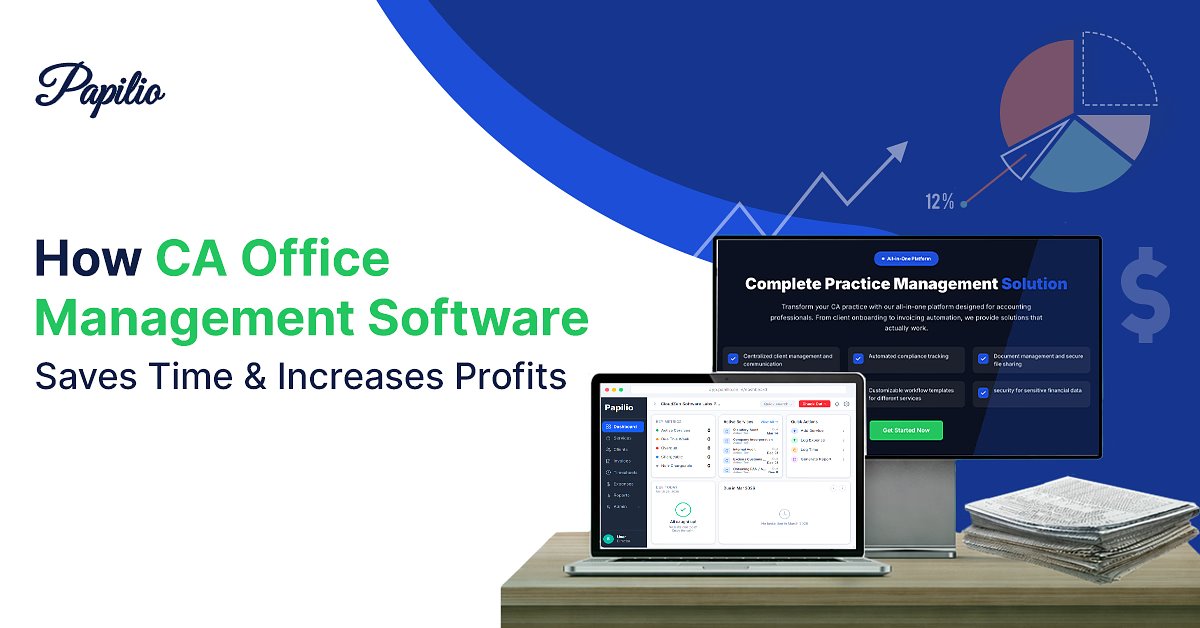
CA office management software is an all-in-one solution designed to streamline daily operations of chartered accountants. It combines task management, compliance tracking, billing, and client communication into a single platform.
Think of it as the central nervous system of your firm; everything flows through it, clearly and efficiently. Whether it’s CA office automation software or a CA client management software, the goal is simple: save time and boost profitability.
Common Challenges Faced by CA Firms
Manual Task Management
Teams often rely on Excel sheets, sticky notes, or even memory to track tasks. This makes it difficult to get a real-time view of what’s pending, in progress, or completed. As a result, tasks can get duplicated, missed, or delayed—especially when multiple team members are involved.
Missed Compliance Deadlines
Without a centralized system or automated reminders, important deadlines like GST filings, TDS returns, or audits can easily be overlooked. Even a single missed deadline can lead to penalties, client dissatisfaction, and damage to the firm’s credibility.
Inefficient Client Communication
When communication is scattered across emails, calls, and WhatsApp chats, it becomes hard to track conversations or retrieve important documents. This often leads to repeated follow-ups, miscommunication, and delays in getting approvals or information from clients.
Delayed Billing & Payments
In many firms, invoicing is done manually and often postponed until the end of the month. This delay not only affects cash flow but also increases the chances of missed or incorrect billing, ultimately impacting revenue collection.
How CA Office Management Software Saves Time
- Automation of Compliance Tasks
Software can automatically track deadlines for GST, TDS, and audits, and even assign tasks to team members.
Example: Instead of manually tracking 50 GST clients, the system auto-generates reminders and workflows. - Centralized Client Data Management
With CA client management software, all client details, documents, and communication are stored in one place—no more searching across emails or folders. - Smart Task Assignment & Workflow Automation
Tasks can be auto assigned based on roles and deadlines. Managers get a clear overview of progress without constant follow-ups. - Automated Reminders & Notifications
Both clients and team members receive alerts for pending tasks, reducing last-minute chaos. - Efficient Document Management
Upload, store, and retrieve documents instantly. Version control ensures you always access the latest file.
How CA Office Management Software Increases Profits
- Ability to Handle More Clients
When repetitive work is automated, your team can handle a higher client load without increasing headcount. - Faster Invoicing & Payment Collection
Automated invoicing ensures bills are generated on time, improving cash flow. - Improved Team Productivity Tracking
You can track who is working on what, how long tasks take, and where delays occur—helping optimize performance. - Reduction in Errors & Penalties
Automation reduces human errors, helping avoid costly compliance penalties. - Better Client Retention
Timely communication and smooth service improve client satisfaction, leading to long-term relationships.
Before vs After Using Papilio — CA Management Software
| Aspect | Before Using Papilio | After Using Papilio |
|---|---|---|
| Task Tracking | Managed through Excel, emails, and manual notes, causing confusion and missed updates | Automated tracking with real-time dashboards and clear task status visibility |
| Deadlines | Tracked manually, often leading to missed compliance dates and penalties | System-driven reminders ensure all deadlines are monitored and met on time |
| Client Data | Scattered across emails, folders, and multiple tools, making access difficult | Centralized client database with instant access to all documents and communication |
| Billing | Done manually and often delayed, impacting cash flow and accuracy | Automated invoicing with timely generation and faster payment collection |
| Productivity | Difficult to measure team performance or identify bottlenecks | Real-time productivity insights with performance tracking and workload visibility |
Key Features to Look for in CA Office Management Software
When choosing the best CA office management software, focus on these core features:
- Client Management
- Workflow Automation
- Document Management
- Team Collaboration
Mistakes to Avoid While Choosing CA Software
1. Ignoring scalability
Many firms choose software that works for their current size but fails as they grow. Always pick a solution that can handle more clients, users, and services as your practice expands.
2. Focusing only on price
Low-cost tools may seem attractive but often lack essential features like automation, reporting, or integrations. In the long run, this can cost more in lost time, inefficiency, and missed opportunities.
3. Overlooking user experience
If the software is complicated or not user-friendly, your team will resist using it consistently. A simple, intuitive interface ensures faster adoption and better productivity across the firm.
4. No support or training
Without proper onboarding or customer support, even good software can become difficult to use. Choose a provider that offers training, demos, and ongoing support to help your team get the most value.
Conclusion: Transform Your CA Practice with the Right Software
In a competitive market, efficiency is everything. The right CA office automation software not only saves time but also unlocks higher revenue potential. By automating routine tasks, improving team coordination, and streamlining billing, CA firms can focus on what truly matters—delivering value to clients and growing their practice.
Frequently asked questions
What is CA office management software and how does it save time?
CA office management software is an all-in-one cloud-based solution that helps Chartered Accountants automate daily tasks like client management, compliance tracking, and billing. This reduces manual work and saves valuable time.
How does CA office management software increase profitability for CA firms?
It improves efficiency, minimizes errors, and allows firms to handle more clients without increasing staff. This directly boosts revenue and overall profitability.
What key features help save time and improve efficiency in CA software?
Key features include client management for quick data access, workflow automation to reduce manual tasks, compliance tracking with deadline alerts, and document management for easy file handling.
How does CA software ensure data security while improving operations?
Modern CA office software uses encryption, secure cloud storage, and role-based access control to protect sensitive data while enabling faster and safer access for teams.
Why is CA office management software better than manual processes?
Manual processes are slow, error-prone, and difficult to scale. In contrast, CA software automates workflows, provides real-time insights, and centralizes operations, helping firms save time and increase profits efficiently.