Published
CA Practice Management
Top Features to Look for in CA Practice Management Software
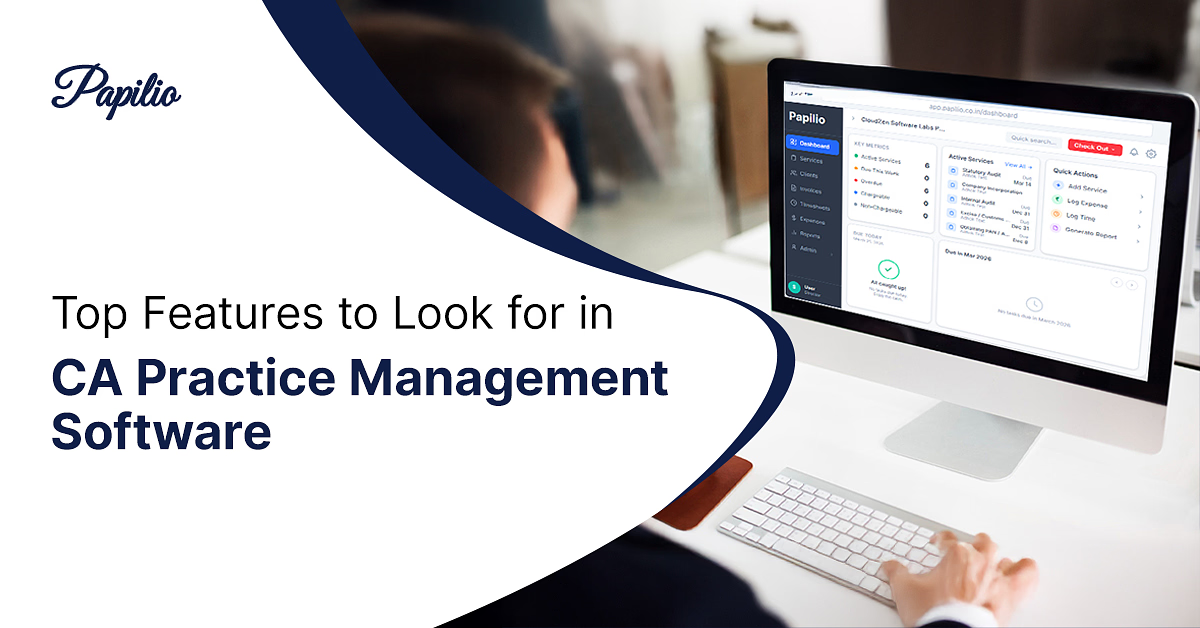
Running a CA firm today is not easy. Managing multiple clients, keeping up with deadlines, and staying compliant with constantly changing regulations can quickly become overwhelming. Many firms still rely on scattered tools, spreadsheets, and manual processes, which only adds to the pressure.
This is where CA Practice Management Software becomes essential. Instead of juggling between systems, you get everything in one place — tasks, clients, documents, and compliance tracking.
The truth is simple: the right features can save hours every week and help scale your CA firm. And with solutions like Papilio built specifically for Chartered Accountants, firms can finally move from chaos to clarity.
What is CA Practice Management Software?
CA Practice Management Software is a centralized platform designed to help Chartered Accountants manage their daily operations efficiently. It brings together client management, task tracking, compliance monitoring, billing, and communication into a single system.
This type of practice management software for Chartered Accountants is ideal for:
- CA firms handling multiple clients
- Tax professionals managing compliance work
- Accounting firms looking to streamline operations
Most modern tools are cloud-based, which means you can access your data anytime, from anywhere. This not only improves flexibility but also enhances team collaboration and productivity.
In simple terms, it acts as the backbone of your firm, organizing everything so you can focus on delivering value to your clients.
Why Feature Selection is Critical for CA Firms?
Choosing the right features in your CA office management software can directly impact how efficiently your firm operates.
First, it improves productivity. When tasks are automated and workflows are streamlined, your team spends less time on manual work and more time on important activities.
Second, it helps avoid compliance penalties. With proper deadline tracking and reminders, you reduce the risk of missing important filings like GST or TDS.
Third, it enhances the client experience. Faster responses, better communication, and organized data create a more professional impression.
Finally, in a competitive landscape, having the best CA practice management software gives your firm an edge. In 2026, firms that adopt the right tools will scale faster and perform better than those relying on outdated systems.
Must-Have Features in CA Practice Management Software
1. Client Management
A centralized database to store all client information, documents, and communication history in one place. This makes accessing and managing client data quick and effortless.
2. Task & Workflow Management
Helps assign tasks, track progress, and manage deadlines efficiently. Ensures nothing slips through the cracks.
3. Compliance Tracking & Alerts
Automatically tracks GST, TDS, and other compliance deadlines with timely reminders, reducing the risk of penalties.
4. Document Management
Securely store and organize files with easy retrieval. No more searching through emails or folders.
5. Billing & Invoicing
Generate invoices, track payments, and manage billing efficiently to improve cash flow.
Advanced Features to Look For
AI-Based Insights
Modern tools provide data-driven insights to help you analyze performance and make better decisions.
Mobile App Accessibility
Access your firm's data on the go, making it easier to manage work even outside the office.
Custom Workflows
Customize processes based on your firm's specific needs instead of following a fixed structure.
Client Self-Service Portals
Allow clients to upload documents, check status, and communicate easily, reducing back-and-forth communication.
How Papilio Helps CA Firms Scale
- Built for Chartered Accountants
Papilio is designed specifically for CAs, making it one of the best CA practice management software options in India. - Automates Compliance & Workflows
It automates compliance tracking and daily tasks, helping firms save time and reduce manual effort. - Improves Team Productivity
Better coordination and task management allow teams to work more efficiently. - Handle More Clients with Ease
Firms can scale and manage more clients without increasing workload or resources. - Centralized Operations
Everything — from client data to tasks and documents — is managed in one place for better control. - Reduces Errors & Increases Efficiency
Automation and structured workflows minimize mistakes and improve overall accuracy. - Trusted by 500+ CA Firms
Widely used across India, helping firms move from manual processes to a smarter, scalable system.
How to Choose the Right Software?
Step 1: Identify Your Pain Points
Start by understanding where your firm is struggling — whether it's managing clients, tracking deadlines, or handling billing. This helps you choose a tool that actually solves your problems.
Step 2: Check Ease of Use
The software should be simple and intuitive. If it's too complex, your team may not use it effectively.
Step 3: Look for Scalability
Choose a solution that can grow with your firm and handle more clients as your practice expands.
Step 4: Evaluate Budget vs Value
Don't just go for the cheapest option. Look for software that offers the right features and long-term value.
Step 5: Ensure Strong Support
Reliable customer support and onboarding are important to avoid issues during implementation.
Step 6: Check Integrations
Make sure the software integrates with tools you already use, like accounting systems or GST platforms.
Common Mistakes to Avoid
Focusing Only on Price
Choosing software based only on cost can backfire. Lower-priced tools often lack essential features, leading to inefficiencies and higher costs in the long run.
Ignoring Scalability
Many firms pick tools that work for their current size but fail as they grow. Always choose software that can scale with your firm and handle increasing workloads.
Overlooking User Experience
A complicated interface can slow down your team and reduce adoption. Even powerful software is ineffective if your team finds it difficult to use.
Not Evaluating Support & Training
Skipping proper onboarding and support can create challenges during implementation. Reliable customer support ensures smooth adoption and quick issue resolution.
Conclusion
In today's fast-paced environment, having the right CA Practice Management Software is no longer optional — it's essential. The right features can transform how your firm operates, saving time, improving accuracy, and enhancing client service.
By investing in the best CA practice management software, firms can streamline operations, reduce stress, and focus on growth.
If you're looking to scale your practice in 2026, choosing a solution like Papilio can be a game-changing decision.
Frequently asked questions
Common questions about CA practice management software features, productivity, compliance, and choosing the right solution for your firm.
What is CA practice management software?
It is a tool that helps Chartered Accountants manage clients, tasks, compliance, and billing in one platform.
What features should I look for in CA practice management software?
Key features include client management, workflow automation, compliance tracking, document management, and billing.
How does CA practice management software improve productivity?
It automates repetitive tasks, organizes workflows, reduces manual effort, and saves time.
Is cloud-based CA software safe to use?
Yes, most modern tools use advanced encryption and security measures to protect data.
Can small CA firms benefit from practice management software?
Absolutely. It helps small firms manage work efficiently and scale faster.
How does CA software help with compliance and deadline tracking?
It provides automated reminders and tracking systems to ensure deadlines are never missed.
Does CA practice management software support billing and invoicing?
Yes, most tools include features for generating invoices and tracking payments.
Can CA software integrate with tools like Tally and GST platforms?
Yes, many tools offer integration with accounting and GST systems for seamless workflows.
How does practice management software improve client communication?
It centralizes communication and allows easy sharing of updates and documents.
What is the best CA practice management software in India?
Papilio is considered one of the best options due to its CA-focused features and scalability.