Published
Document Management
Document Management Software: Features, Benefits, and Process
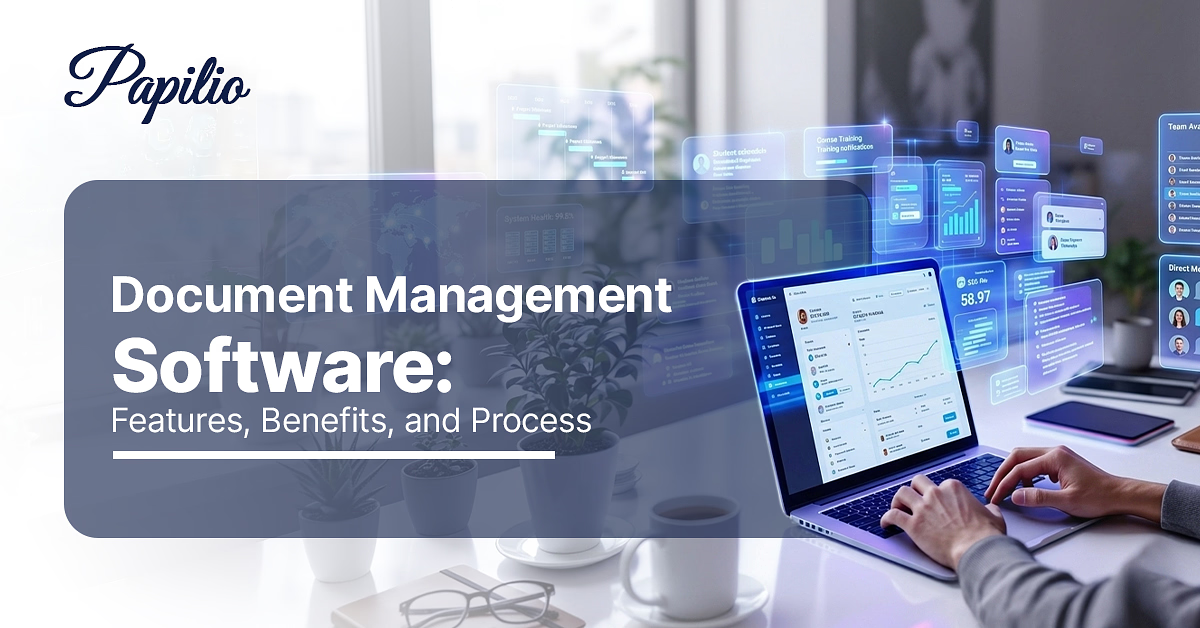
Businesses today deal with a large volume of documents. Client files, invoices, contracts, emails, working papers, reports and approval records as part of everyday operations. A Document Management System (DMS) is software that helps you store, organize, track and manage all these digital files in one place.
What Is Document Management Software?
A document management system (DMS), also called document management software or a document workflow system, is a solution that stores an organization's documents in a single, controlled environment. Rather than keeping files across multiple PCs, local folders or physical cabinets, a DMS gives the team one central repository where every document can be uploaded, tagged with metadata and indexed for faster search.
Why Businesses Need Document Management Software
Relying only on paper files, ad-hoc folders or shared drives works when document volume is small. It starts breaking when the business grows, teams expand or compliance work becomes more frequent. Most document problems do not appear dramatic at first.
Key reasons businesses adopt DMS include:
- Findability & Efficiency — A client file may be in an email attachment, a shared drive, a staff member's desktop folder or an old WhatsApp upload. A document management system reduces this by giving teams one place to search by client, date, service, document type or content.
- Error Reduction — Manual file handling makes small mistakes easier. Someone may use an old draft, save changes over another person's version or send the wrong file to a client. Version control and centralized access reduce this risk because the team can see which document is current.
- Collaboration — Document work rarely belongs to one person. A staff member may prepare the file, a manager may review it, and a partner may approve it. In a DMS, the review comments and corrections stay connected to the document instead of being scattered across email threads and attachments.
- Compliance and Audit Readiness — Finance, tax, healthcare, legal and professional service businesses often need to prove who accessed a document, when it was changed and whether the right approval was taken. A DMS creates a proper record of these actions.
- Security — Sensitive data (client info, financial records, contracts) demands protection. A good DMS uses access controls, encryption, authentication and logs to reduce the risk of unauthorized access.
- Cost Savings — Paper storage, printing, courier movement, repeated scanning and rework all add cost. Digital document storage software reduces these costs and removes a large amount of manual administration.
In simple terms, businesses need document management software because document chaos directly affects speed, accountability and control.
Key Features of Document Management Software
A modern DMS includes a suite of features designed to automate document handling. Common key features are:
| Feature | What it should solve in daily work |
|---|---|
| Centralized repository | The team should not have to check personal folders, email attachments and shared drives for the same document. One file location keeps records cleaner. |
| Metadata and indexing | A file name is rarely enough. Documents should be searchable by client, project, date, service, document type or any other field that matters to the business. |
| Version control | Teams need to know which document is current, which one was changed and whether an older draft still has to be reviewed. This is especially important when more than one person works on the same file. |
| Access permissions | Not every document should be visible to everyone. Client records, financial documents, employee data and confidential contracts need user-level or role-level control. |
| Workflow automation | Review and approval should not depend on someone remembering to send a reminder. The system should move documents to the right person at the right stage. |
| Audit trails | For many firms, it is not enough to store the document. They also need to know who uploaded it, who viewed it, who edited it and when the approval happened. |
| Retention rules | Some documents need to be kept for years. Others should be archived or removed after a defined period. The system should help apply those rules consistently. |
| Integration | Documents usually connect with email, accounting tools, client records, billing or task management. A good DMS should reduce double entry, not create another place to update manually. |
Document Management Process Explained
The document management process is the structured movement of a document from creation to final storage or disposal. The process usually includes:
- Step 1: Document capture — The document enters the system. This may happen through uploads, document scans, email import or direct creation inside the platform.
- Step 2: Classification and indexing — The document is categorized by client, department, project, service, date, document type or keyword. This is where metadata becomes useful.
- Step 3: Secure Storage — The file is stored in the repository with access controls and backup protection.
- Step 4: Access, Distribution, & Collaboration — This is where the document starts moving between people. One person may check the numbers, another may add comments, and someone else may ask for a missing attachment or correction.
- Step 5: Version Control & Approval — Once the review is done, the document goes to the right person for approval.
- Step 6: Retention, Archiving & Disposal — Every change creates a record. So if a document has gone through three rounds of correction, the team can still see what changed, which version is current, and whether an older draft needs to be checked again. This is especially useful when multiple people are working on the same client file.
The system also helps teams see what is pending, who needs to act and where a document is stuck.
Benefits of Using Document Management Software
Implementing a DMS pays dividends across the organization:
- Greater Efficiency — When documents live in one system, staff find what they need instantly. Work that used to require visits to the file room or long email threads now happens with a few clicks.
- Improved Collaboration — Teams can share, review and edit documents together. Co-authoring features and in-app commenting keep everyone aligned, making teams more productive because everyone works with the same information.
- Regulatory Compliance — A DMS provides tools for maintaining audit trails, managing document lifecycles and ensuring documents meet regulatory standards. In practice, this means retention schedules, legal holds and audit reports are built in — audits become straightforward rather than painful.
- Cost Savings — Digital storage costs far less than physical archives, and wasted effort is reduced. Firms report saving thousands of dollars annually by eliminating paper, printing, and offsite storage expenses.
- Disaster Recovery — With redundant backups (especially in the cloud), documents survive hardware failures, fires or floods.
Overall, businesses gain transparency and control.
How Document Management Software Improves Business Efficiency
Beyond general benefits, specific efficiency gains include:
- Reduced Errors — Automated index fields and templates mean fewer data entry mistakes. Consistency rules in the DMS prevent out-of-sync versions, so the old story of "I used the wrong form" is gone.
- Anytime, Anywhere Access — Cloud DMS lets team members work from office, home or travel without delay. An approval can happen on a tablet during a commute. This uninterrupted access keeps projects moving.
- Integration with Other Processes — When a DMS is integrated with billing, CRM or case management systems, information flows without re-entry.
- Standardization — All documents follow organizational templates and naming. New employees don't have to guess file structure — the DMS enforces it. Papilio's built-in templates ensure even non-technical staff can capture documents correctly.
- Cost Savings — Digital storage costs far less than physical archives and wasted effort is reduced.
By removing manual drudgery, a document management system frees your team to focus on high-value work.
Types of Document Management Software
Document management software comes in several deployment models and specializations:
- Cloud-Based DMS (Software-as-a-Service) — A cloud-based document management system is hosted by the software provider and accessed online. The business does not have to maintain servers, plan storage upgrades or handle routine system updates on its own.
- On-Premises DMS — Installed locally on a company's own servers. The organization owns the hardware and software licenses and manages the system in-house. This gives maximum control and is often chosen when organizations have strict data sovereignty or customization needs. However, it requires capital investment and IT maintenance.
- Hybrid DMS — Combines both approaches. For example, active documents might reside in the cloud, while very sensitive archives stay on-premises. This allows flexibility — taking advantage of cloud scalability while retaining on-site control for critical data.
- Industry-Specific DMS — Some vendors offer solutions tailored to specific sectors (e.g. healthcare, legal, finance, government). These systems include built-in templates, workflows and compliance rules for that industry's needs.
- Open-Source vs Commercial — Open-source DMS let you self-host with community support. Commercial DMS platforms are usually easier to implement because they come with vendor support, a more complete interface and ready-to-use features. For most professional service firms, the practical question is not only cost — it is whether the system can be adopted by the team without making everyday work heavier.
Papilio's approach is cloud-based, ensuring firms always have the latest features without extra IT work.
Industries That Use Document Management Software
Virtually every industry benefits from a DMS, but some use it as a core part of operations:
- Accounting, Finance & Tax — CA firms, tax consultants, audit teams and finance departments handle invoices, returns, working papers, financial statements, client records and statutory documents. In these firms, a missing document can delay a filing or create issues during review.
- Legal & Professional Services — A contract may start with an associate, move to a senior reviewer, go to the client, return with comments and then need partner approval. A DMS keeps the current file and its history together, which reduces the usual confusion around drafts and amendments.
- Healthcare — Patient records, prescriptions, consent forms and insurance papers need both speed and control. Staff should be able to find the right file quickly, but access cannot be open to everyone. For healthcare teams, document management is as much about privacy as it is about storage.
- Government and Public Sector — Permits, applications, notices, correspondence and meeting records often have a long life. A document management system gives these records a proper trail, instead of leaving them spread across desks, departments and old folders.
- Education — Admissions files, student records, transcripts, certificates, approvals and research documents move across departments throughout the year. A DMS helps the institution find and verify records without depending on manual searches.
- Manufacturing & Construction — These teams work with drawings, specifications, inspection documents, contracts and compliance records. Version control matters because an outdated drawing or specification can affect cost, quality and delivery.
- Others — Real estate, insurance, media, non-profits — any organization with paperwork benefits. For example, document management applies to legal (case files), healthcare (patient images), finance (invoices, audits), construction (blueprints, contracts), education (records), accounting (AP workflows, invoices) and HR (onboarding, contracts).
Document Management Software vs Traditional File Management
Many organizations start with basic file storage: office drives, shared folders or generic cloud folders (Google Drive, Dropbox, OneDrive). These traditional methods let you store files, but they lack the structure and automation of a real DMS.
| Area | Traditional file management | Document management software |
|---|---|---|
| Storage | Files are saved in local folders, shared drives or generic cloud folders. The structure depends heavily on how people name and arrange files. | Documents are stored in a central repository with a defined structure. Files can be linked to clients, services, tasks or departments. |
| Organization | Teams usually rely on folders and subfolders. Over time, naming styles differ from person to person. | Documents can be organized through tags, metadata, categories and smart folders, which makes the structure less dependent on individual habits. |
| Search | People often search by file name or manually open folders until they find the right document. | Search can work through file content, metadata, document type, client name or other fields. OCR can also help locate scanned documents. |
| Version control | Users may create separate files like "final", "final revised" or "approved copy". This creates confusion when multiple people are involved. | The system keeps version history, so teams can see what changed and which version should be used. |
| Access | Permissions are usually basic. In many teams, too many people can access too many folders. | Access can be controlled by role, user, department or document type. Sensitive files can be restricted more precisely. |
| Workflow | Approvals usually happen through email, calls or manual reminders. | Documents can move through review, approval and completion stages inside the system. |
| Compliance | Audit trails and retention rules are often weak or missing. | Activity logs, retention policies and access records help create a stronger compliance trail. |
Traditional storage may be enough for low-risk internal files. But once documents are connected to clients, contracts, tax filings, audits, finance records or approvals, the business needs more than a place to save them. It needs control over how those documents are used.
How to Choose the Best Document Management Software
Selecting a DMS that truly fits your business requires careful evaluation:
- Define Your Needs — Before comparing products, list the document problems that are slowing the business down. For one firm, the priority may be secure storage. For another, it may be version control, workflow approvals, audit trails or faster search.
- Key Features — The software should cover the basics properly: document storage, indexing, search, access permissions, version control, workflow automation, audit trails and retention rules.
- Integration — Documents do not sit alone. They often connect with email, accounting software, CRM, billing, task management or ERP systems. A DMS should reduce duplicate entry and repeated uploads, not add another disconnected place for the team to update.
- Usability & Adoption — A system may look strong in a demo and still fail in daily use. Staff should be able to upload, find, review and approve documents without needing constant technical help.
- Scalability — Choose software that can grow with you. Cloud solutions typically let you scale storage and users with a few clicks.
- Security and Compliance — Verify that the product meets industry standards. It should support encryption at rest, role-level permissions, audit logging and data export. Ask about compliance certifications (e.g. SOC2, ISO 27001) and data residency.
- Vendor Reputation and Support — Research reviews and case studies. Does the vendor have a good track record in your industry? What support and training do they provide?
The right DMS should make document work easier to control, not heavier to manage.
Common Challenges in Document Management
Even with a great DMS, organizations often face obstacles:
- Data Migration — Old documents rarely come in a clean format. Some files are on shared drives, some are on personal desktops, some are scanned, and some may still exist only as paper records. Moving everything into a new system takes planning.
- Change Management — People are used to their own way of saving and sharing documents. A DMS works only when the team agrees to use one common process. Training, internal rules and early supervision are important here.
- Security Concerns — Moving sensitive files to a new system can raise fears about data breaches. These concerns must be addressed by choosing a system with strong security features and demonstrating them.
- Compliance Complexity — Regulations change constantly. Ensuring the DMS stays aligned with new rules is a moving target. Companies need to review their document policies regularly.
- Technical Issues — Like any software, DMS platforms need updates and maintenance. Poor network performance, insufficient training, or bugs can hamper productivity if not managed.
Despite these challenges, the payoff is worth it.
Future Trends in Document Management Software
The document management landscape continues to evolve with technology and work patterns. Key trends include:
- AI and Machine Learning — Intelligent automation is no longer optional. DMS platforms increasingly use AI for document classification, data extraction and even predictive insights.
- Enhanced Security & Compliance Automation — Blockchain-inspired audit trails and built-in compliance-checking bots flag documents needing review. Strong encryption is now standard, and systems automatically update to meet new regulations.
- Integration with Collaboration and Business Tools — Deep integration with platforms like Teams, Slack, ERP and CRM is expected. Document systems open and save files directly in the apps employees use every day, reducing friction and app-switching.
- Cloud and Mobile-First Access — Most new DMS deployments are cloud-based, letting users access documents on any device. Mobile apps with offline sync and biometric logins ensure that even staff in the field can open and sign documents.
- Built-in e-Signature — Integrated electronic signature is becoming a standard feature. Digital signing speeds up contract approvals, sales agreements and HR forms by allowing clients or employees to sign on phones or tablets anywhere.
- Low-Code/No-Code Customization — Users increasingly demand to configure DMS workflows themselves. Low-code platforms let business users build forms, workflows and reports without IT.
- Advanced Search and Knowledge Discovery — Beyond simple search, future DMS will use semantic search, faceted filters and AI-driven recommendations, turning a repository into a knowledge base.
- Sustainability Focus — Organizations are reducing paper to meet ESG goals. DMS solutions highlight their green credentials by minimizing printing and offering energy-efficient hosting.
- Automation Everywhere — From document capture to archiving, workflow bots and RPA (Robotic Process Automation) will continue to advance, cutting costs and improving accuracy.
How Document Management Software Supports Compliance and Security
Compliance and security are built into a robust DMS at every level:
- Encryption — Documents are encrypted using military-grade algorithms (e.g. AES-256) both in transit and at rest. This meets or exceeds many regulatory standards.
- Access Management — Users must authenticate with username/password, often with multi-factor. System administrators set permissions so that only the right people can access sensitive files. Access rights can be as granular as needed to enforce privacy policies.
- Audit Trails and Logs — Every action is logged — who created or changed a document, who approved it, even when someone simply viewed it. These tamper-proof logs are critical for audits and can be exported to demonstrate compliance or investigate incidents.
- Version Integrity — Since each revision is stored, it's always possible to see how a document evolved. Digital signatures and checksums ensure file integrity.
- Retention & Legal Holds — DMS platforms enforce retention schedules automatically. For example, Papilio can be configured to automatically archive all audit reports for 10 years, then purge them. This avoids accidental deletions or keeping sensitive data longer than allowed, which can violate laws like GDPR.
- Redundancy and Backup — A secure DMS has multiple layers of backup. In the cloud, data is usually copied to geographically separate data centers to survive outages or disasters.
- User Training and Policies — Technology alone isn't enough. Effective DMS deployments include staff training on security practices and clear policies around document classification and handling.
In short, a DMS turns compliance from a manual chore into an automated process.
Conclusion
In the digital age, moving beyond paper and folders is no longer optional. Document management software brings order, visibility and control to the overwhelming volume of business files. By centralizing documents, automating workflows, and enforcing security and compliance, a DMS turns paperwork from a liability into an asset. Organizations that adopt these systems — especially those with heavy regulatory burdens — see tangible benefits in efficiency and risk reduction.
If your business is ready to leave cluttered file systems behind, now is the time to explore a future-ready document management solution. Papilio's workflow-centric approach ensures your documents do their work for you — securely, efficiently and automatically — so your team can focus on what they do best.
Frequently asked questions
Common questions about document management software, its features, process, and how it improves efficiency and security for businesses.
What is document management software and how does it work?
Document management software is used to store, organize and manage digital files such as PDFs, Word documents, spreadsheets, invoices, contracts and client records. It works by bringing documents into one central system instead of leaving them across desktops, email threads and shared folders. Once a file is uploaded or scanned, it can be tagged with details such as client name, project, service, date or document type. DMS enforces version control, access permissions and audit trails so that each file's life — from creation through archival — is fully managed and secure.
What are the key features of document management software?
The core features usually include centralized storage, search, metadata, version control, access permissions, workflow automation and audit trails. Storage gives the document a proper place. Metadata helps the team find it. Version control shows which draft is current. Permissions decide who can view or edit it. Workflow automation moves the document for review or approval. Audit trails record what happened along the way.
How does document management software improve business efficiency?
People spend less time searching for files, checking old email threads or asking colleagues for the latest version. Documents are easier to find because they are organized by context, not just file names. It also reduces repeated manual work. For example, an invoice can be uploaded, sent for review, approved by the right person and stored with the correct record. The team does not have to move it manually at every stage.
What is the document management process in organizations?
It typically follows these steps: (1) Capture: Create or scan the document into the system. (2) Index & Store: Apply tags or categories and save it in the central repository. (3) Access & Edit: Authorized users retrieve or collaborate on it, with all changes versioned automatically. (4) Workflow: If required, the document is routed for approvals or signatures. (5) Retain: The file is held for its required legal period. (6) Archive/Dispose: After retention, it's either archived or securely deleted.
Why is cloud-based document management software important for businesses?
Cloud-based document management software is useful because teams are no longer limited to one office system or one physical location. Staff can access the documents they need from different branches, client sites or remote work setups, depending on their permissions. It also reduces the need for businesses to manage their own servers and storage infrastructure. The software provider usually handles hosting, updates, backups and system maintenance.
How does document management software improve data security?
Document management software improves data security through encryption (AES-256) for files both in transit and at rest, role-based access controls that restrict who can view or edit sensitive documents, multi-factor authentication, and comprehensive audit logs that record every action taken on a file. Automated retention policies also prevent sensitive data from being kept longer than required, reducing exposure and compliance risk.