Published
CA Practice Management
Client Management Software for Chartered Accountant Firms
Growing CA firms often manage client information across spreadsheets, emails, and multiple tools, making follow-ups and compliance difficult to track. Papilio centralizes client records, services, documents, tasks, and communication in one platform, helping firms manage every client relationship from onboarding to service delivery and renewals.
Simplify Client Management for Your CA Firm
Manual client management often depends on spreadsheets, files, messages, emails, and individual staff members. These methods become harder to control as the firm adds services, employees, and recurring assignments.
Every engagement depends on accurate information, timely documents, clear ownership, and regular follow-up. A centralized system gives clients, partners and teams a consistent view of requirements, pending work, communication, and deadlines. Papilio helps replace disconnected processes with an organized workflow.
Common Client Management Challenges Faced by CA Firms
Scattered Client Information
Client details, registration numbers, service records, files, notes, and communication may sit in different locations. Employees may struggle to find current information and depend heavily on individual team members.
Missed Follow-Ups and Deadlines
Follow-ups related to documents, payments, approvals, filings, and renewals may be tracked through personal reminders. When ownership is unclear, important actions can remain pending.
Document Collection Delays
CA firms require timely availability of business documents including invoices / bills, bank statements, ledgers, certificates, declarations, and supporting records to effectively render various services for clients. Delayed collection affects work and creates pressure near compliance dates.
Communication Gaps with Clients
Clients may receive requests from different team members. Without a shared communication history, repeated requests, inconsistent updates, and incomplete handovers can occur.
Difficulty Tracking Client Status
Partners need to know whether a client is onboarding, awaiting documents, under review, ready for filing, pending approval, or due for renewal. Manual tracking limits this visibility.
Common Client Management Challenges Faced by CA Firms
CA firms handle multiple clients, recurring assignments, documents, compliance dates, and communication records every day. Without a centralized system, important information can become scattered and difficult to monitor.
Scattered Client Information
Client details, registration numbers, service records, files, notes, and communication may be stored in different locations. Employees may spend time searching for current information or depend on individual team members for updates.
Missed Follow-Ups and Deadlines
Follow-ups related to documents, payments, approvals, filings, and renewals may be tracked through personal reminders. When ownership is unclear, important actions can remain pending until the deadline approaches.
How Papilio Helps CA Firms Manage Clients Efficiently
Papilio creates a centralized operational view using practice management features for every client, service, assignment, document, and follow-up. Teams can access current information without relying on multiple spreadsheets or personal records.
Centralized Client Database
Papilio creates a structured client database containing contact information, business details, assigned team members, active services, and related records. Authorized users can refer to one consistent source of information.
Complete Client Management
Each client profile can include registration / billing details, key contacts, service scope, internal notes, documents, task history, and engagement information. This gives teams a complete operational view of the account.
Client Segmentation and Categorization
Firms can organize clients by service, entity type, industry, location, partner, team, or internal category. Segmentation helps with work allocation, reporting, communication, and follow-up planning.
Contact and Communication Tracking
Communication notes and follow-up records can be linked to the relevant client profile. Team members can review earlier interactions before contacting the client, reducing duplication and improving continuity.
Multi-Service Client Management
A client may use GST, income tax, audit, payroll, accounting, company law, or advisory services. Papilio allows firms to manage multiple services under one client account while maintaining separate service workflows.
Key Features of Papilio Client Management Software
Papilio combines client records, task management, document tracking, reminders, and team collaboration within one platform. Each feature helps CA firms manage ongoing assignments through defined and visible processes.
Client Onboarding Management
Papilio helps teams follow a structured onboarding process. Firms can record client details, assign responsibilities, request documents, configure services, and monitor onboarding progress.
Client Relationship Tracking
Partners and managers can review client activity, active assignments, pending items, completed work, and service history. This information helps maintain continuity when responsibilities change.
Task Assignment and Follow-Ups
Client-related tasks can be assigned with due dates, priorities, owners, and status updates. Follow-ups remain visible until they are completed or reassigned.
Document Request and Collection
Teams can track requested, received, reviewed, and pending documents for every client service. Clear status updates reduce repeated checking and highlight incomplete requirements.
Automated Reminders and Notifications
Papilio provides reminders for assigned tasks, client follow-ups, pending documents, service renewals, and compliance activities. Notifications help employees act before work becomes overdue.
Service-Wise Client Tracking
Each client service can have its own workflow, frequency, responsible team, document checklist, and due date. This creates a clear structure for recurring and one-time assignments.
Team Collaboration on Client Accounts
Partners, managers, and staff can work from the same client information. Notes, tasks, documents, updates, and responsibilities remain visible to relevant team members.
Client Activity History
Papilio maintains a record of client actions, status changes, completed tasks, communication notes, and follow-ups. This history provides useful context during reviews, handovers, escalations, and future engagements.
Client Lifecycle Management in One Platform
Client management begins before onboarding and continues through service delivery, compliance work, renewals, and long-term engagement. Papilio helps firms manage every stage without transferring information between disconnected systems.
Client Onboarding
Teams can collect business details, registration information, contact records, engagement documents, and service requirements. Responsibilities and initial tasks can be assigned from the beginning.
Service Delivery
Papilio helps teams manage service-specific tasks, document requirements, internal reviews, approvals, and completion status. Managers can monitor progress without requesting separate updates from each employee.
Compliance Tracking
Recurring compliance obligations can be connected to each client and service. Teams can review deadlines, document availability, assigned owners, pending stages, and completion status.
Client Retention and Renewal
Service renewals, engagement reviews, recurring assignments, and client follow-ups can be scheduled in advance. Historical information helps partners prepare for renewal discussions and future service planning.
Benefits of Using Client Management Software for CA Firms
Practice management software helps firms reduce administrative dependency and create consistent processes across teams. It also provides partners with clearer visibility into client work, deadlines, documents, and relationships.
Improve Client Satisfaction
Clear follow-ups, organized document requests, and timely status updates create a consistent client experience. Teams can respond with accurate information because records are available in one place.
Reduce Administrative Work
A centralized system reduces repeated data entry, manual tracker updates, internal status calls, and time spent searching for client information. Employees can focus more attention on professional assignments.
Enhance Team Productivity
Structured tasks, visible ownership, and service-wise tracking help employees understand what needs to be completed. Managers can identify workload levels and allocate assignments accordingly.
Eliminate Missed Deadlines
Automated reminders, due-date tracking, and dashboard visibility reduce the possibility of overlooked follow-ups and compliance activities. Managers can identify delays before deadlines are missed.
Strengthen Client Relationships
A complete history of services, communication, pending items, and completed work helps firms maintain informed interactions. Clients do not need to repeat the same information to multiple employees.
Scale Your Practice Efficiently
As the client base expands, Papilio provides a repeatable structure for onboarding, service delivery, review, and renewal. Firms can add clients and team members without creating separate manual systems. Explore our practice management software pricing plans to choose the right Papilio solution for your CA firm’s requirements.
Manage Every Client Interaction from a Single Dashboard
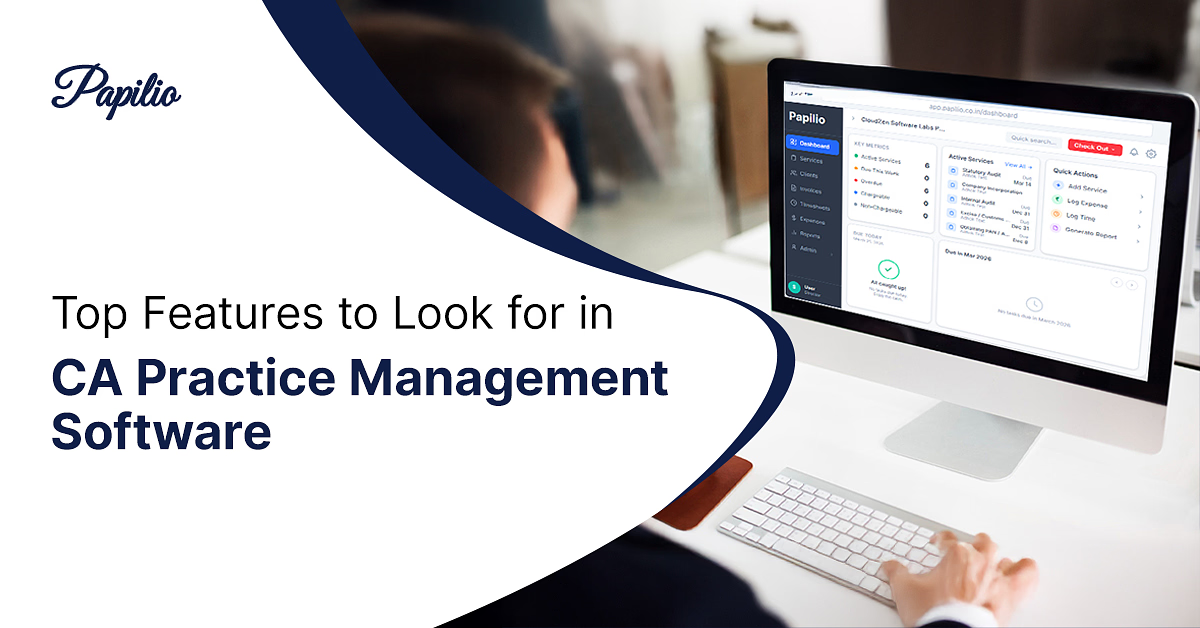
A centralized dashboard gives partners and teams a current view of client activity across the firm. Users can review work status, pending requirements, approaching deadlines, and document availability from one screen.
Client Overview Dashboard
The dashboard provides a high-level view of active client services, assigned teams, and work status. Partners and managers can use it to review overall operations, while detailed task and service information is available within the relevant service.
Pending and Overdue Tasks
Users can review pending, upcoming, and overdue tasks assigned within a specific service. This helps managers identify delays, check ownership, and take action where reassignment or escalation is required.
Service-Level Due Date Tracking
Due dates are managed within individual services rather than through client-level compliance tracking. Teams can open the relevant service to review timelines, assigned work, and pending activities.
Client Document Collection and Sharing
Papilio provides client access for collecting and sharing documents. Clients and team members can exchange the records required for an assignment, but document status is not displayed on the main dashboard. Users must open the relevant service to review document-related information.
Why CA Firms Choose Papilio for Client Management
Papilio is designed around the operational requirements of chartered accountant firms rather than general customer relationship management. It connects client data with recurring services, compliance dates, tasks, documents, and team ownership.
Built Specifically for Chartered Accountants
Papilio addresses CA firm requirements such as recurring compliance work, client document collection, service tracking, task ownership, internal reviews, and follow-ups.
Easy-to-Use Interface
A structured interface helps teams access client profiles, assigned tasks, deadlines, documents, and communication records without switching between multiple applications.
Secure Client Data Management
Client information can be managed through controlled access based on user roles and responsibilities. Firms can limit unnecessary access to confidential business and financial records.
Automated Workflows and Alerts
Workflow steps, assignments, due dates, reminders, and notifications help teams follow consistent processes. Automation reduces dependence on individual memory and personal tracking lists.
Real-Time Visibility Across Teams
Partners and managers can review task status, pending documents, deadlines, and workload across departments. Updated information helps them make timely operational decisions.
Use Cases
Papilio can be configured for firms delivering different accounting, tax, audit, and compliance services. Each practice can organize clients, assignments, documents, and deadlines according to its operating structure.
GST Practitioners
GST practitioners can organise client registrations, return cycles, document requests, reconciliation tasks, assigned responsibilities, and recurring compliance work within the relevant services.
Tax Consultants
Tax consultants can manage taxpayer profiles, document collection, computation tasks, return preparation, client approvals, submission status, and communication history.
Audit Firms
Audit firms can track engagement details, client information, document requirements, team assignments, review points, observations, and completion activities.
Accounting Firms
Accounting firms can manage bookkeeping assignments, monthly document collection, reconciliations, reporting schedules, pending information, and client queries.
Multi-Partner CA Practices
Multi-partner firms can categorize clients by partner, branch, service, location, or team while maintaining firm-wide visibility and controlled access.
Frequently asked questions
These frequently asked questions explain how client management software can fit into the daily operations of a CA firm. They cover client records, documents, reminders, collaboration, deadlines, security, and communication.
What is client management software for CA firms?
Client management software is a system used to organize client details, services, documents, tasks, communication, deadlines, and relationship history in one platform.
How does client management software help chartered accountants?
It helps chartered accountants centralize client information, assign work, track follow-ups, monitor compliance dates, and review service progress.
Can I store all client documents in one place?
Papilio helps firms organize client documents and track their collection status within the relevant client profiles and service records.
Does Papilio provide automated reminders for client follow-ups?
Yes. Papilio can generate reminders for client follow-ups, pending documents, assigned tasks, renewals, and approaching deadlines.
Can multiple team members access client information?
Authorized team members can access relevant client records according to the user roles and access structure defined by the firm.
Is client data secure in Papilio?
Papilio uses controlled access features to help firms manage who can view, update, and work with client information.
Can I track compliance deadlines for each client?
Yes. Compliance dates can be recorded and monitored by client, service, team member, reporting period, and work status.
How does Papilio improve client communication?
Papilio keeps communication notes, document requests, follow-ups, and activity records connected to the client profile, helping teams maintain consistent interactions.