Published
CA Practice Management
Cloud-Based Practice Management: Benefits Beyond Accessibility
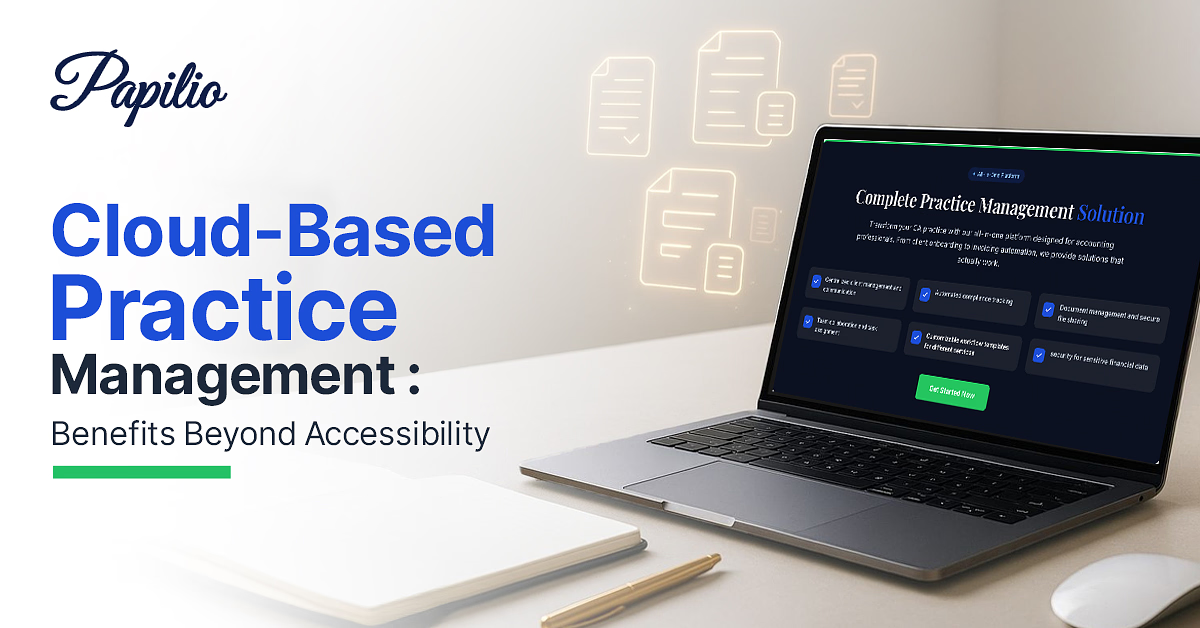
Cloud-based practice management has evolved from being a convenience to becoming a strategic business necessity for professional firms. As client expectations rise, regulatory requirements become more complex, and hybrid work becomes the norm, firms need systems that do more than simply store information or enable remote access. They need a platform that streamlines operations, strengthens collaboration, protects sensitive data, and provides real-time visibility into business performance.
While accessibility is often the most talked-about advantage of cloud-based practice management software, its real value lies in transforming how firms operate. From automating routine workflows and improving collaboration to enabling better decision-making and reducing operational costs, cloud technology helps firms become more agile, productive, and client-focused. In this article, we'll explore the benefits of cloud-based practice management that extend far beyond working from anywhere and why more professional firms are making the shift.
What is Cloud-Based Practice Management Software?
Cloud-based practice management software is an online platform that helps professional firms manage their daily operations through a centralized system hosted on remote servers. Unlike traditional software that must be installed on office computers, cloud solutions are accessed through a web browser or mobile application.
These platforms typically combine multiple business functions into a single solution, including:
- Client and contact management
- Case or project management
- Document storage and sharing
- Time tracking and billing
- Task management
- Calendar and scheduling
- Workflow automation
- Reporting and analytics
Since data is stored securely in the cloud, authorized users can access information from any device with an internet connection while maintaining high levels of security and compliance.
Why Professional Firms Are Moving to the Cloud
The shift toward cloud technology isn't just a trend—it's a strategic business decision. Professional firms face increasing demands for efficiency, flexibility, and better client service. Traditional software often creates operational bottlenecks because data is tied to specific office locations or devices.
Cloud-based practice management software solves these challenges by offering:
- Greater flexibility for hybrid and remote teams
- Reduced IT maintenance costs
- Automatic software updates
- Better scalability as firms grow
- Improved business continuity
- Enhanced collaboration across departments
As client expectations evolve, firms require systems that enable faster communication, real-time information sharing, and streamlined workflows. Cloud technology provides the foundation for these improvements.
Benefits of Cloud-Based Practice Management Beyond Accessibility
Although remote access is one of the biggest advantages, cloud-based practice management software offers several additional benefits.
1. Improved Team Collaboration
Cloud platforms allow multiple team members to work on the same files, projects, or client records simultaneously. Everyone sees the latest updates in real time, reducing duplicate work and communication gaps.
This improves coordination between departments and ensures everyone stays aligned.
2. Enhanced Data Security
Contrary to common misconceptions, reputable cloud providers often invest significantly more in cybersecurity than individual firms can.
Security features typically include:
- Data encryption
- Multi-factor authentication
- Role-based permissions
- Automatic backups
- Activity logs
- Disaster recovery systems
These measures help protect sensitive client information from data loss and cyber threats.
3. Automatic Software Updates
Traditional software requires manual updates, which consume time and IT resources.
Cloud solutions automatically receive:
- Security patches
- Feature enhancements
- Performance improvements
- Compliance updates
Users always work with the latest version without disrupting daily operations.
4. Cost Savings
Cloud software reduces several major expenses, including:
- Server maintenance
- Hardware upgrades
- IT infrastructure
- Software installation
- Ongoing maintenance
Instead of large upfront investments, firms typically pay predictable monthly or annual subscription fees.
5. Better Business Continuity
Unexpected events such as hardware failures, natural disasters, or office closures can interrupt business operations.
Since cloud data is stored across secure data centers with backup systems, firms can continue working with minimal disruption.
Cloud-Based Practice Management vs Traditional On-Premise Software
| Feature | Cloud-Based Software | Traditional On-Premise Software |
|---|---|---|
| Access | Anywhere with internet | Office computers only or a VPN |
| Updates | Automatic | Manual |
| Maintenance | Vendor-managed | Internal IT team |
| Initial Cost / Operating Cost | Lower | Higher |
| Scalability | Easy | Limited |
| Data Backup | Automatic | Manual |
| Collaboration | Real-time | Often limited |
| Disaster Recovery | Built-in | Requires additional setup |
While on-premise software may still suit organizations with specific infrastructure requirements, cloud-based systems offer greater flexibility, lower maintenance, and faster innovation for most firms.
Common Myths About Cloud Practice Management
Myth 1: Cloud software isn't secure.
Reality: Leading cloud providers use enterprise-grade security, encryption, continuous monitoring, and compliance standards that often exceed the security capabilities of many individual firms.
Myth 2: Cloud software is only for large businesses.
Reality: Small and mid-sized firms often benefit the most because they gain access to advanced features without major infrastructure investments.
Myth 3: Cloud migration is too complicated.
Reality: Most modern vendors provide migration tools, onboarding support, and training to simplify the transition.
Myth 4: Cloud software requires constant internet access.
Reality: While internet connectivity is necessary for full functionality, many providers offer offline capabilities or automatic syncing when the connection is restored.
How to Choose the Right Cloud-Based Practice Management Software
Selecting the right solution requires evaluating your firm's current needs and future growth plans.
Consider the following factors:
Ease of Use
Choose software with an intuitive interface that minimizes training time and encourages user adoption.
Security Standards
Look for features such as:
- Encryption
- Multi-factor authentication
- Access controls
- Compliance certifications
- Regular security audits
Customization
Every firm has unique workflows. Choose software that allows configurable templates, workflows, reports, and user permissions.
Scalability
The platform should support business growth without requiring a complete system replacement.
Customer Support
Reliable onboarding, training, technical support, and documentation are essential for long-term success.
Pricing
Evaluate the total cost of ownership rather than focusing solely on subscription fees. Consider implementation, support, storage, and additional user costs.
Future of Cloud Practice Management
Cloud practice management continues to evolve with emerging technologies that improve efficiency and client service.
Future developments include:
- Artificial intelligence for workflow automation
- Predictive analytics for business insights
- Intelligent document classification
- Voice-enabled productivity tools
- Advanced cybersecurity technologies
- Deeper integrations with third-party platforms
- Automated compliance monitoring
- Machine learning for resource planning
As these innovations mature, firms using cloud platforms will be better positioned to adapt to changing client expectations and competitive markets.
Conclusion
Cloud-based practice management software has become an essential tool for modern professional firms. While accessibility remains a major advantage, its true value lies in improving collaboration, strengthening security, reducing operational costs, automating routine tasks, and enabling smarter business decisions.
Whether you're a small practice looking to improve efficiency or a growing enterprise seeking scalable operations, cloud-based practice management software provides the flexibility and innovation needed to thrive in today's digital environment. By choosing the right platform, firms can streamline operations, enhance client service, and prepare for future growth with confidence.
Frequently asked questions
Common questions about cloud-based practice management software, security, collaboration, and on-premise vs cloud deployment.
What is cloud-based practice management software?
Cloud-based practice management software is an online solution that helps professional firms manage clients, projects, documents, billing, scheduling, and workflows through a secure, internet-based platform.
How is cloud-based software different from on-premise software?
Cloud software is hosted online and accessed through the internet, while on-premise software is installed locally on office servers or computers and typically requires additional access protocols.
Is cloud-based practice management software secure?
Yes. Most reputable cloud providers implement advanced security measures such as encryption, multi-factor authentication, automatic backups, and access controls to protect sensitive business and client data.
Can small firms benefit from cloud-based practice management?
Absolutely. Cloud software offers affordable pricing, scalability, reduced IT costs, and enterprise-level features that help small firms improve efficiency and compete more effectively.
Does cloud software improve team collaboration?
Yes. Team members can access shared files, update projects in real time, communicate more efficiently, and collaborate regardless of their location.
How does cloud-based software help with document management?
It centralizes document storage, enables version control, simplifies file sharing, supports secure access permissions, and reduces reliance on paper-based processes.
What happens if the internet goes down while using cloud software?
Most cloud platforms automatically save your work and restore access once the internet connection returns. Some solutions also offer offline functionality with synchronization when connectivity is re-established.
Is migrating to cloud practice management difficult?
Migration is generally straightforward with the right vendor. Many providers offer data migration tools, onboarding assistance, training, and technical support to ensure a smooth transition.
Can cloud practice management software integrate with other business tools?
Yes. Most modern platforms integrate with accounting software, CRM systems, email applications, payment gateways, calendars, document management solutions, and other productivity tools.
What should firms consider before choosing a cloud-based practice management solution?
Firms should evaluate ease of use, security, integration capabilities, scalability, customization options, customer support, pricing, and vendor reputation to ensure the solution aligns with their operational and long-term business needs.