Published
CA Practice Management
Practice Management Software vs Excel for CA Firms: Which Is the Better Choice?
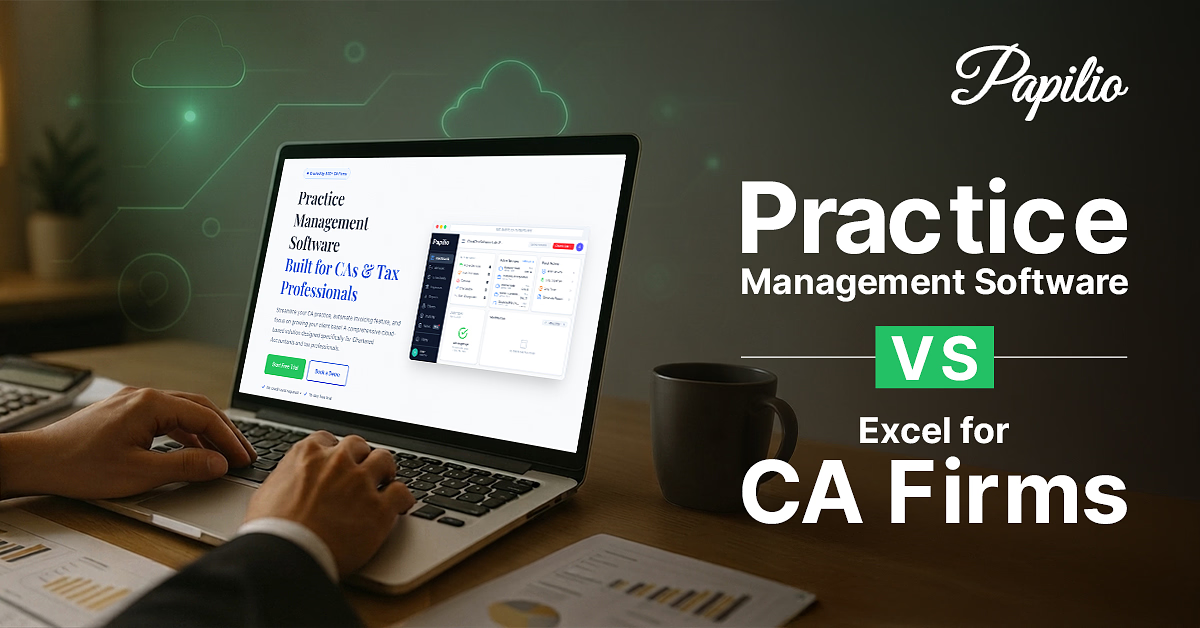
For growing Chartered Accountant (CA) firms, financial success depends on more than delivering quality tax, audit, and advisory services. It also relies on efficiently managing client engagements, capturing billable hours accurately, meeting compliance deadlines, controlling operational costs, and maintaining healthy cash flow. As firms expand, disconnected spreadsheets and manual processes often struggle to keep pace, creating inefficiencies that impact productivity, billing accuracy, and overall profitability.
According to PwC's Global Digital Trust Insights, organizations that invest in digital transformation and process automation are better positioned to improve operational efficiency, reduce manual effort, and make faster business decisions. For growing CA firms, adopting integrated practice management software can play a key role in achieving these outcomes.
Practice Management Software (PMS) addresses these challenges by centralizing client management, workflows, billing, document management, and compliance tracking on a single platform. By automating routine administrative tasks and providing real-time business insights, it helps CA firms improve billing accuracy, reduce revenue leakage, enhance operational efficiency, and make better financial decisions.
This guide explores the benefits of using a Practice Management Software versus the efficiency of Excel / spreadsheets to evaluate which solution delivers better financial control, operational efficiency, scalability, and long-term profitability of growing firms.
What is Practice Management Software?
Practice Management Software is a centralized business management solution designed specifically for professional service firms such as Chartered Accountants, tax consultants, auditors, and financial advisors.
Unlike Excel, which stores information in spreadsheets, practice management software integrates multiple business functions into one platform.
Typical modules include:
- Client management
- Task and workflow management
- Assignment tracking
- Compliance calendar
- Document management
- Team collaboration
- Time tracking
- Billing and invoicing
- Reporting dashboards
- User permissions
- Notifications and reminders
Instead of maintaining separate Excel sheets for clients, deadlines, billing, and employee workloads, firms manage everything from a single dashboard.
This creates better visibility, minimizes manual work, and ensures every team member works with updated information.
Why Many CA Firms Still Use Excel
Despite the availability of modern software, many CA firms continue to rely on Excel because it is familiar and inexpensive.
Some common reasons include:
Low initial cost
Most firms already have Microsoft Office subscriptions, making Excel readily available without additional investment.
Familiar interface
Staff members generally know how to use Excel, reducing initial training requirements.
Flexible customization
Users can create customized sheets based on their way of working.
Suitable for small firms
A newly established CA practice with limited clients may find Excel sufficient during the early stages.
No implementation process
Unlike specialized software, Excel requires no configuration or migration.
However, these short-term benefits often become long-term operational challenges as client volumes increase.
Practice Management Software vs Excel: Side-by-Side Comparison
| Feature | Practice Management Software | Excel |
|---|---|---|
| Client Management | Centralized client database | Multiple spreadsheets |
| Task Tracking | Automated workflows | Manual updates |
| Compliance Management | Automated reminders | Manual tracking |
| Team Collaboration | Real-time collaboration | Version conflicts |
| Document Storage | Integrated document management | Separate folders |
| Assignment Allocation | Automatic assignment tracking | Manual allocation |
| Dashboard & Reports | Real-time analytics | Manual reporting |
| Data Security | Role-based access controls | Limited protection |
| Scalability | Supports growing firms | Difficult to scale |
| Audit Trail | Complete activity logs | Limited tracking |
| Automation | Extensive workflow automation | Mostly manual |
| Cloud Access | Available from anywhere | Depends on file storage |
| Error Risk | Lower due to automation | High due to manual entry |
Challenges of Managing a CA Firm with Excel
Although Excel is highly effective for calculations and financial modeling, it was never designed to manage the complete operations of a growing CA firm.
Manual deadline tracking
Tax filings, GST returns, ROC compliance, TDS submissions, payroll processing, and statutory audits all have strict due dates. Managing these deadlines manually increases the risk of delayed filings, financial penalties, and dissatisfied clients. Missing even a single compliance deadline can affect both client trust and firm revenue.
Data duplication
Client financial information often exists across multiple spreadsheets for billing, tax compliance, assignments, payment tracking, and document management. Maintaining duplicate records increases administrative effort and creates inconsistencies that may affect financial reporting and client servicing.
Version control issues
When multiple employees work on different versions of the same spreadsheet, firms often face overwritten information, duplicate files, and inaccurate financial data. Such inconsistencies make it difficult to maintain reliable records for billing, compliance, and internal reporting.
Limited collaboration
Managers need visibility into pending assignments, employee utilization, billable hours, outstanding invoices, and client profitability. Excel requires manual consolidation of information, delaying financial decisions and reducing operational efficiency.
Lack of workflow visibility
Without a centralized system, firm partners struggle to answer critical financial questions such as:
- Which client invoices remain unpaid?
- Which assignments are generating the highest revenue?
- Which compliance filings are pending?
- Which employees have available billable capacity?
- Which clients contribute the highest profitability?
Finding these answers often requires reviewing multiple spreadsheets, consuming valuable time that could otherwise be spent on client advisory services.
Benefits of Practice Management Software
Practice Management Software addresses the operational limitations of Excel by creating standardized, automated workflows.
Centralized client management
All client information remains in one location, including:
- Contact details
- Engagement history
- Documents
- Billing records
- Communication logs
This eliminates duplicate data.
Task management
Tasks can be generated for:
- GST filing
- Income tax returns
- TDS returns
- Company audits
- ROC compliance
- Payroll processing
Assignments are automatically allocated with due dates and reminders.
Better team productivity
Managers gain complete visibility into:
- Work allocation
- Employee availability
- Task completion
- Delayed / pending assignments
- Resource utilization
This improves planning and prevents workload imbalance.
Document management
Practice management software securely stores client documents in organized digital folders.
Benefits include:
- Quick retrieval
- Version history
- Secure sharing
- Reduced paperwork
- Access from anywhere
Time tracking and billing
Many CA firms struggle to measure time spent on assignments.
Practice management software records:
- Employee hours
- Project costs
- Billable work
- Client profitability
This leads to more accurate billing and improved financial performance.
Business insights
Built-in dashboards provide real-time visibility into:
- Revenue
- Outstanding invoices
- Pending assignments
- Employee productivity
- Compliance status
- Client portfolio
Partners can make informed business decisions without manually preparing reports.
Improved data security
Modern practice management software typically includes:
- User-based permissions
- Multi-factor authentication
- Encrypted cloud storage
- Backup systems
- Audit logs
These features help protect confidential client information while supporting governance and accountability.
When Should a CA Firm Upgrade to Practice Management Software?
Every firm reaches a point where Excel becomes inefficient.
Some common indicators include:
- Managing more than 50 active clients
- Multiple employees working simultaneously
- Frequent deadlines
- Missed filing dates
- Difficulty tracking assignments
- Duplicate client records
- Increasing administrative workload
- Lack of business reporting
- Remote or hybrid teams
- Rapid firm growth
If your staff spends significant time updating spreadsheets instead of serving clients, it is usually the right time to adopt specialized software.
How to Choose the Right Practice Management Software
Selecting software should be based on operational requirements rather than simply choosing the solution with the longest feature list.
Consider the following factors:
Industry-specific functionality
Choose software designed specifically for CA firms rather than generic project management tools.
It should support:
- Workflow Automation
- Client management
- Practice operations
Cloud accessibility
Cloud-based software enables secure access from:
- Office
- Home
- Client locations
without relying on local servers.
Automation capabilities
Look for features such as:
- Recurring task creation
- Automated reminders
- Workflow approvals
- Email notifications
Automation reduces repetitive administrative work.
User-friendly interface
A simple dashboard improves adoption across the firm. Complex software often results in poor implementation.
Integration options
The software should integrate with commonly used accounting, document management, and communication tools to reduce duplicate data entry.
Reporting and dashboards
Real-time analytics should include:
- Pending work
- Employee productivity
- Revenue tracking
- Client profitability
Data security
Evaluate:
- Encryption standards
- Access controls
- Backup frequency
- Audit logs
Given the sensitive nature of financial and client information, security should be a primary consideration.
Customer support and implementation
Reliable onboarding, training, and responsive technical support help ensure a smoother transition and better long-term adoption.
Conclusion
Excel has long been a valuable tool for calculations, financial analysis, and maintaining basic records. However, managing a modern CA firm involves far more than spreadsheets. Client relationships, document management, team coordination, billing, and reporting require integrated workflows that Excel was not designed to handle.
Practice Management Software provides a centralized, scalable solution that automates routine processes, improves collaboration, enhances visibility, and reduces operational risks. Whether you are a small practice preparing for growth or an established firm managing hundreds of clients, investing in the right practice management software can improve productivity, strengthen compliance management, and create a better client experience. Rather than replacing Excel entirely, many firms use both tools together. Excel for data analysis and reporting, and practice management software for running day-to-day operations efficiently.
Disclaimer: The information contained in this article is provided for general informational purposes only and does not constitute professional, financial, statutory or legal advice. Readers should not act or refrain from acting on the basis of any content included herein without seeking appropriate professional advice on the specific topics discussed.
Frequently asked questions
Common questions comparing practice management software and Excel for Chartered Accountant firms.
Is Excel enough to manage a CA firm?
Excel may be sufficient for a solo practitioner or a newly established firm with a small client base. However, as the number of clients, employees, and client obligations grows, Excel becomes difficult to manage due to manual processes, limited collaboration, and higher error risks.
What are the disadvantages of using Excel for practice management?
Excel relies heavily on manual updates, making it tedious to maintain in the long run. Additionally, it can lead to conflicting versions and duplicate records as it lacks built-in workflow automation, centralized document management, task tracking, and advanced security controls.
How does practice management software improve productivity?
Practice management software automates recurring tasks, tracks assignments, centralizes client information, sends deadline reminders, streamlines billing, and provides real-time dashboards. This reduces administrative work, allowing teams to focus more on client service and advisory work.
Can practice management software replace Excel completely?
Not necessarily. Excel remains useful for financial modeling, calculations, and customized data analysis. Practice management software complements Excel by handling operational workflows, client management, compliance tracking, and collaboration more efficiently.
Is practice management software suitable for small CA firms?
Yes. There are solutions designed for firms of all sizes and offer scalable pricing. Even small firms can benefit from improved organization, automated reminders, and centralized client management as they grow.
What features should CA firms look for in practice management software?
Key features include client management, task automation, document management, billing, time tracking, workflow customization, dashboards, role-based access controls, cloud access, and integration with other business tools.
How does practice management software help with compliance?
It helps by creating recurring tasks, sending automated reminders, and providing visibility into pending obligations. This reduces the risk of missed deadlines and penalties.
Is cloud-based practice management software secure?
Reputable cloud-based platforms generally implement encryption, secure data centers, regular backups, access controls, and audit logs. Firms should review the vendor's security practices and compliance certifications before adoption.
How much time can CA firms save by using practice management software?
The exact savings depend on the firm's size and processes. Firms often reduce time spent on repetitive administrative tasks such as updating spreadsheets, tracking deadlines, assigning work, and preparing status reports, allowing staff to devote more time to client-facing activities.
How do I migrate from Excel to practice management software?
Start by organizing and cleaning your existing Excel data, removing duplicates, and standardizing formats. Most software providers offer import tools or onboarding assistance to migrate client records, tasks, and documents. Testing the migration with a small dataset before full implementation can help ensure a smoother transition.